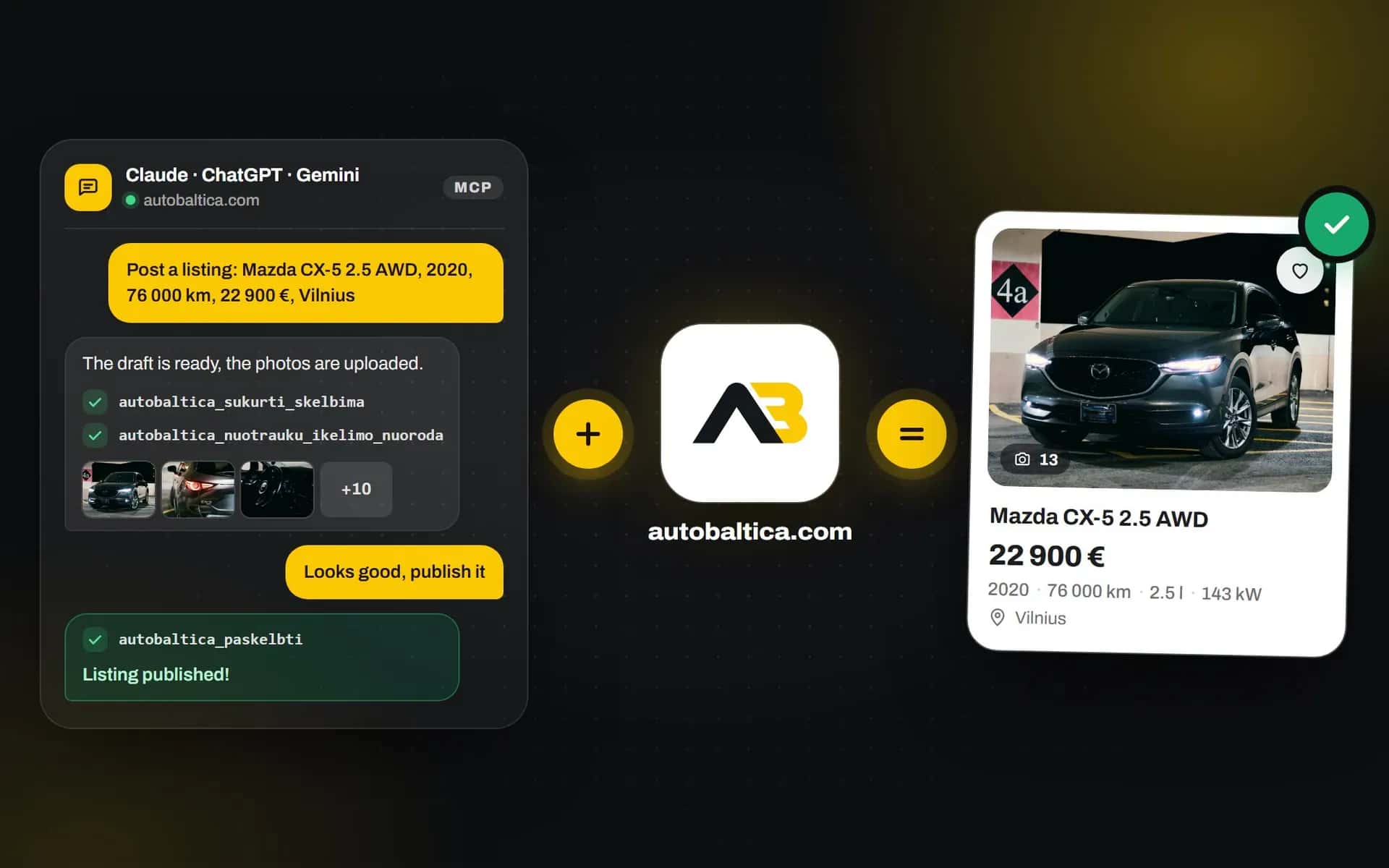
On AutoBaltica you can now post and manage a listing not only through the form, but also in a chat with your own AI agent. Connect Claude, ChatGPT, Gemini or another AI assistant to your account via the MCP connection and write what you are selling – the agent will create the listing, help upload the photos and later change the price or extend the listing. It is free.
What MCP is
MCP (Model Context Protocol) is an open standard that AI apps use to connect to external services. AutoBaltica has its own MCP server for sellers at autobaltica.com/ai. You log in through an AutoBaltica window: the agent does not get your password, and you can see which app is connecting and what it will be able to do.
What the AI agent can do
- Create a listing from your words, e.g. "Post my Toyota RAV4, 2019, 98,000 km, 21,500 €, Kaunas". The agent will ask for any missing details – VIN, equipment, city – itself.
- Upload photos – from links (e.g. your website) or through a personal upload link that you open on your phone or computer.
- Publish the listing – only after you confirm.
- Change the price, description or mileage: "Lower the price by 500 €".
- Show your listings and how many times they have been viewed.
- Extend listings that are about to expire or mark a car as sold.
For buyers such a listing looks exactly like any other – the same rules and checks apply to it.
How to connect
- Create an account on AutoBaltica – it is free.
- Open the [AI assistant page](/ee-en/ai-assistant) and choose your app. Claude opens straight away with the address already filled in; for ChatGPT and Gemini we show a few short steps.
- Log in and allow. The app opens an AutoBaltica window – log in and click "Allow".
- Tell the agent what to do.
Which apps it works with
| App | How to connect | Note |
|---|---|---|
| Claude | "Connect to Claude" button | The address is filled in automatically |
| ChatGPT | "Plugins" → "Add custom MCP server" | Creating and editing – on Business and Enterprise/Edu plans |
| Gemini | Developer Mode | Menu names may change |
| Copilot, Cursor and others | New MCP server with the address autobaltica.com/ai | Log in through the AutoBaltica window |
Security
- The agent sees and changes only your listings – not other users' listings, your password or your account settings.
- Before publishing, marking as "sold" or removing a listing, the agent must get your confirmation.
- Every photo is checked and re-processed on our server.
- Every action is logged, and you can disconnect a connected app at any time: "My profile" → "AI assistants".
How much it costs
Nothing: listings on AutoBaltica are free, and so is the connection to the AI agent. You may only need to pay for the AI app itself, according to its plan. A listing is valid for 3 months, and you can also extend it through the agent.
Connect your AI agent or, if you prefer, post a listing the usual way – the form is still there.